AgentForge.
A VRAM-aware multi-agent code IDE built on Ollama. Seven local models, one consumer GPU, zero cloud.
Overview
AgentForge is a fully local multi-agent code IDE built on Ollama. It coordinates seven specialized models — Manager, Writer, Editor, Tester, Researcher, Reader, Heavy — through a robust code-generation pipeline that culminates in a real, runnable multi-file project.
Engineered and tuned for an RTX 5070 Ti (16 GB GDDR7), the system schedules VRAM as a first-class resource. Small models co-reside in a warm pool; exclusive large models dynamically evict others before loading. A global pipeline lock ensures zero race conditions during inference.
The frontend is a real-time React + ReactFlow canvas where each agent operates as a node. The WebSocket event bus streams thought processes and status changes from the FastAPI backend in real-time, completely replacing the opaque linear chat with a transparent pipeline architecture.
The hard engineering bits.
VRAM-Aware Resource Scheduling
Custom FIFO scheduling and dynamic model loading/unloading to adhere to strict 16GB GDDR7 hardware constraints. Zero cold-load latency between agent hops.
Local RAG & Context Engineering
Dependency-free local retrieval over project files, coupled with selective context passing. Agents only receive the context they need, preventing bloated context windows.
Validator Gates & Fault Tolerance
Built-in guardrails that actively reject empty code, placeholders, and broken JSON, forcing models to self-correct before advancing down the pipeline.
Real-Time ReactFlow Canvas
A node-based visualizer replacing linear chat. WebSocket events instantly animate node interactions, exposing the multi-stage reasoning directly to the user.
Inside the IDE.
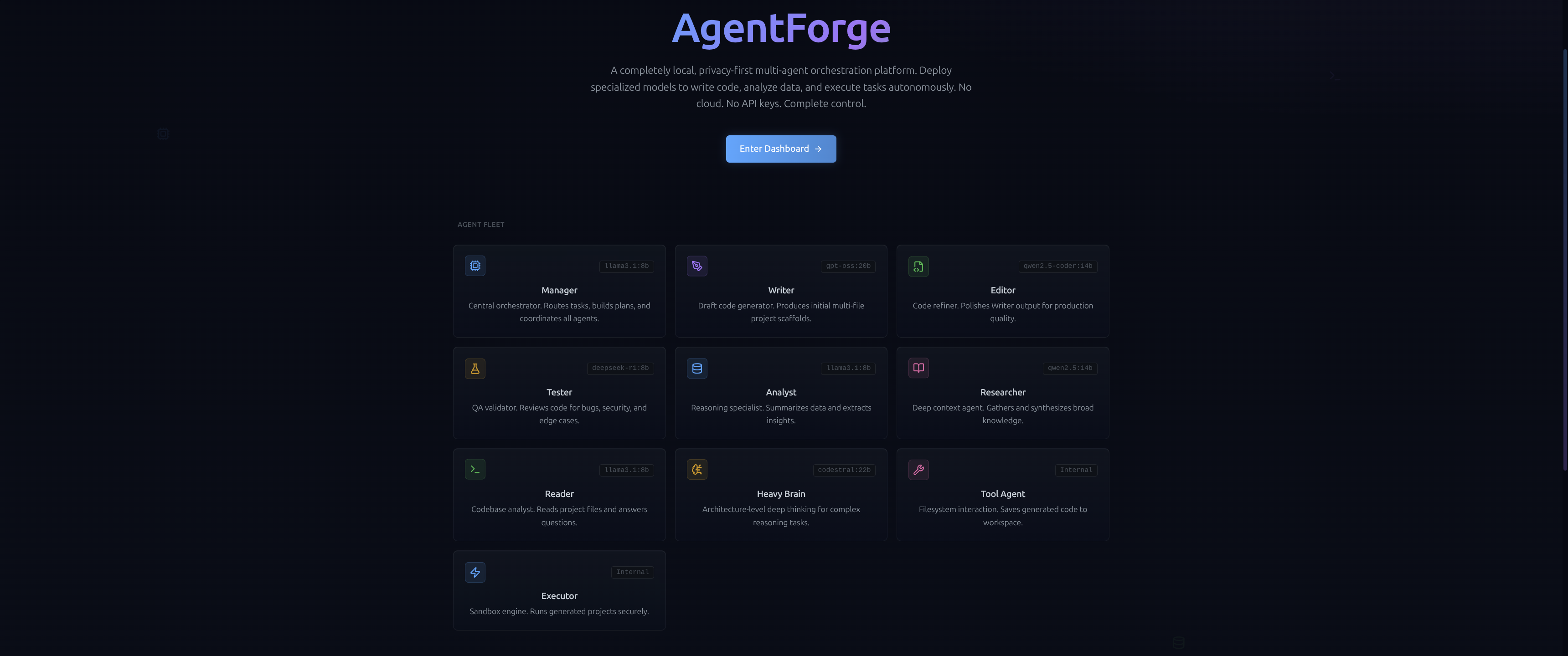
The first three seconds.
Dark-mode, technical interface that signals a production-grade environment from the jump. The pitch is clear: a VRAM-aware, multi-agent code IDE built entirely on Ollama. No cloud, no API keys, zero data leaks — trust earned by being honest about the stack.
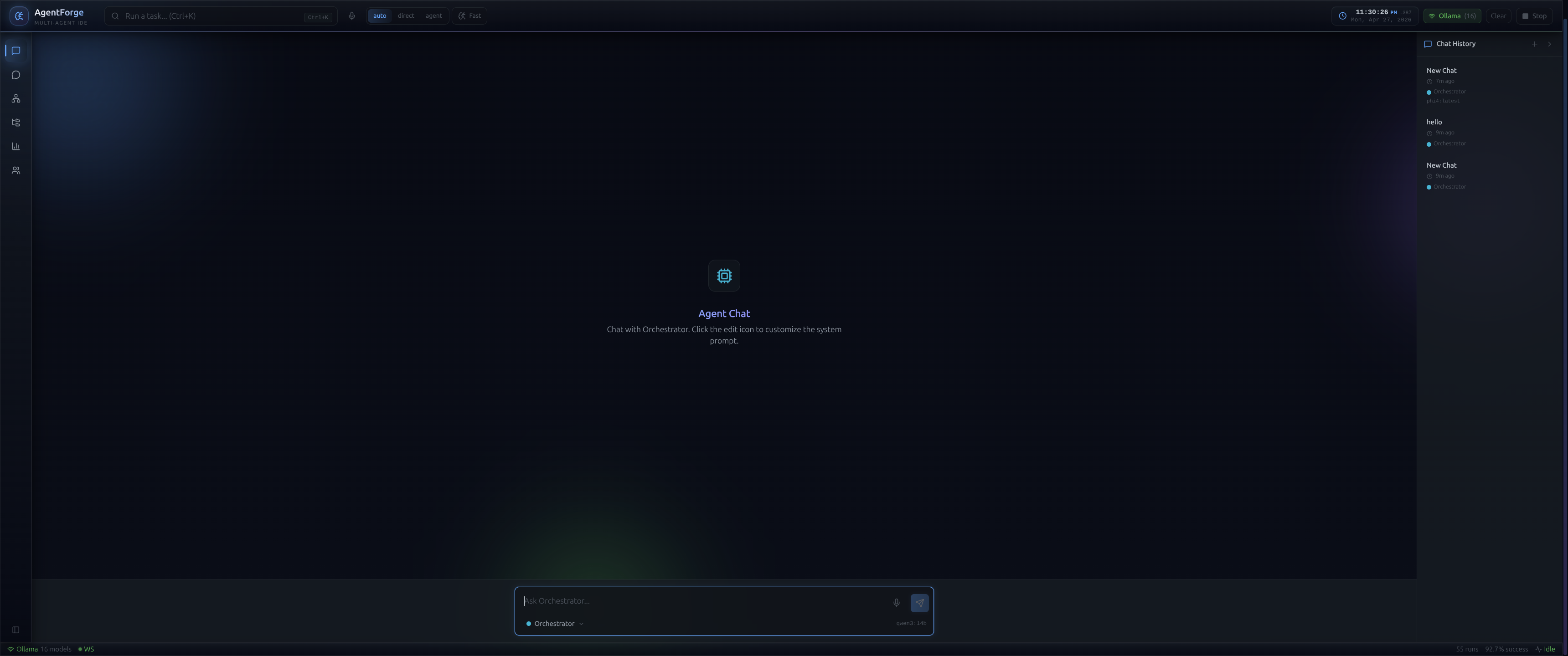
The command center.
Split-view workspace built around an interactive ReactFlow canvas. Each specialized model is a visual node that lights up and streams thoughts in real-time. Surrounding it: live VRAM allocation, model statuses, run history, and a file explorer mapping out generated projects.
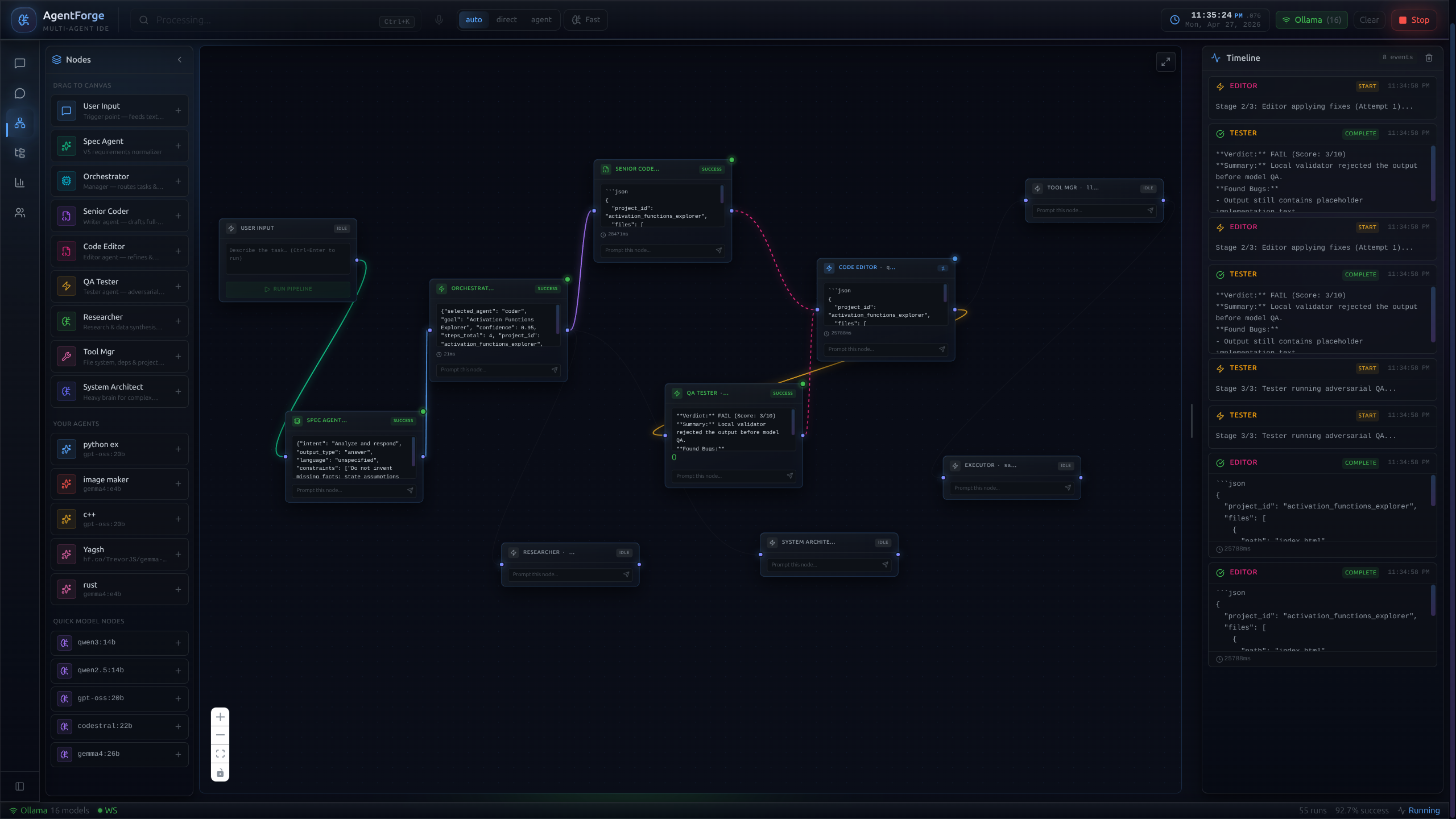
Not a chat log — a graph.
The heart of AgentForge. Instead of an opaque linear chat, each agent is a distinct node. As FastAPI routes tasks, WebSocket events animate the nodes in real-time. Developers can physically trace selective context, see why a request was routed to a specific model, and watch parallel reasoning unfold.
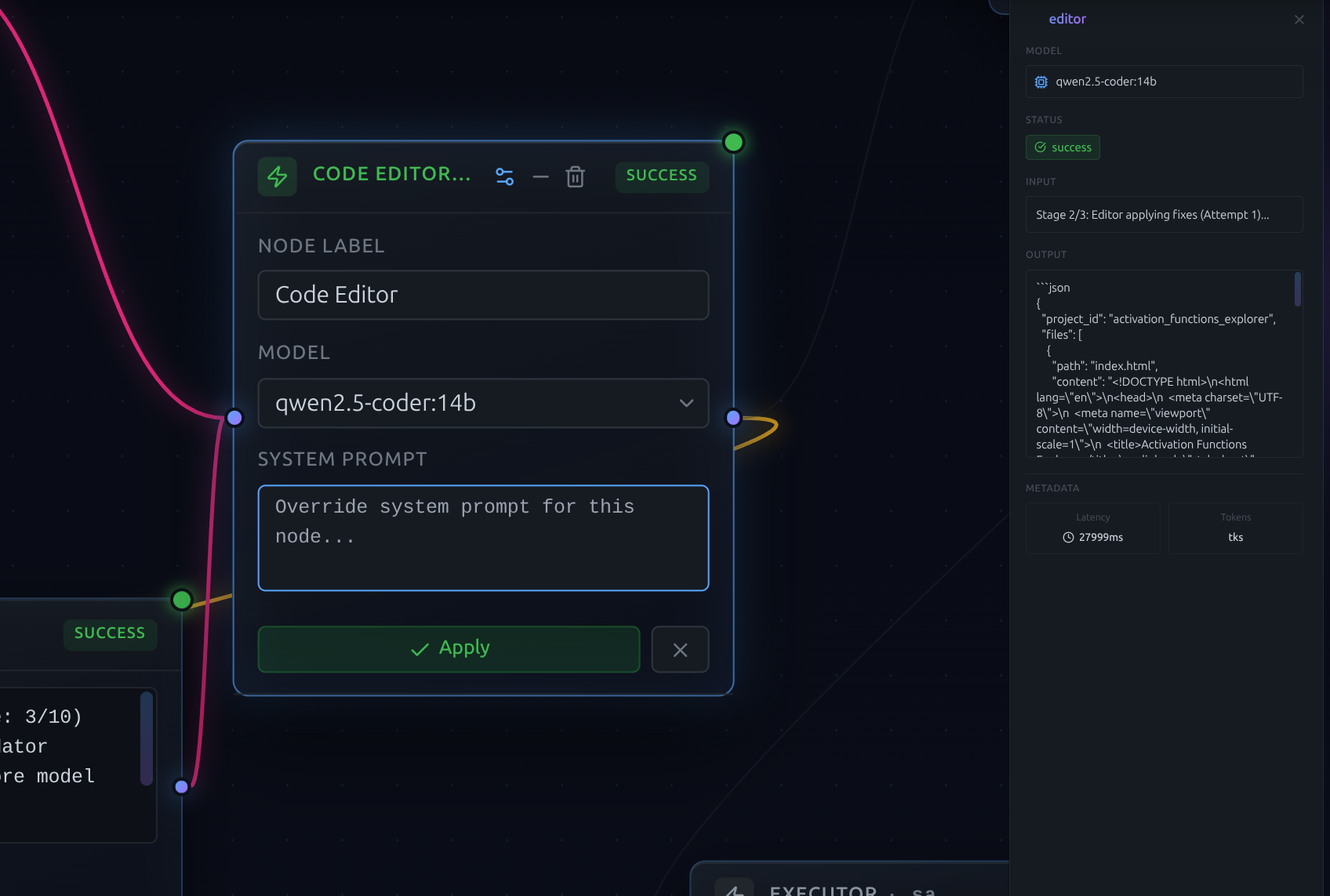
Prompts as live config.
System prompts are dynamic configurations, not hardcoded scripts. Edit any agent's persona, guardrails, or output format directly on the canvas — instantly tune behavior without restarting the backend or losing session context. Prompt engineering at the speed of thought.
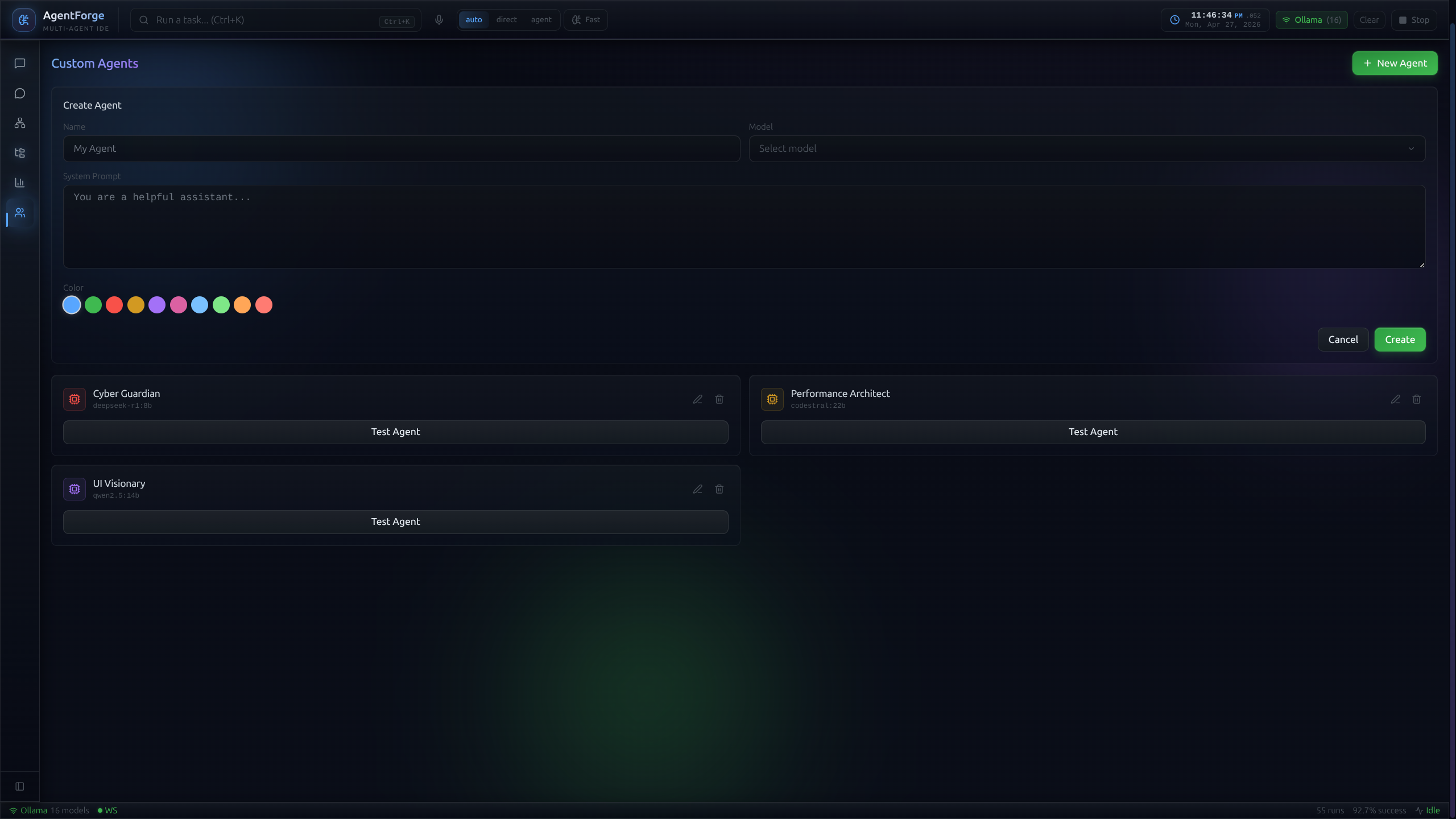
Drag a node, VRAM does the rest.
Drag a node, assign a role, wire it in. Behind the scenes, the VRAM-aware scheduler checks if the chosen LLM fits alongside the warm pool; if not, it gracefully evicts idle models before loading. A strategic keep_alive parameter ensures zero cold-load latency when the agent fires.
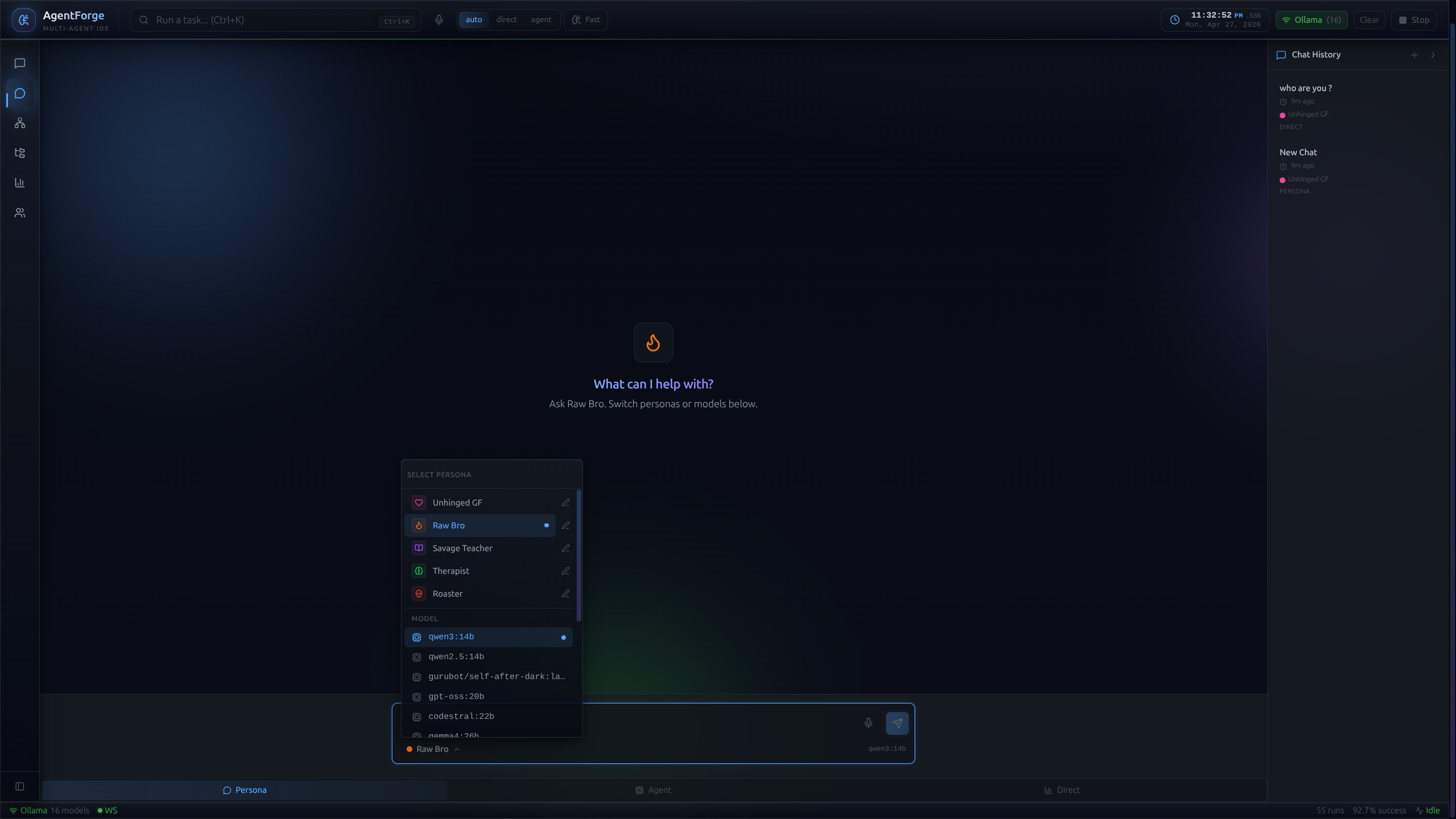
Tunable to the parameter.
Granular control over each agent: name, role, system prompt, selected model (Llama 3.1 vs Qwen 2.5), inference temperature. Personas persist to local SQLite, so you can shut down, come back weeks later, and iterate on the same fine-tuned agents based on their chat history.
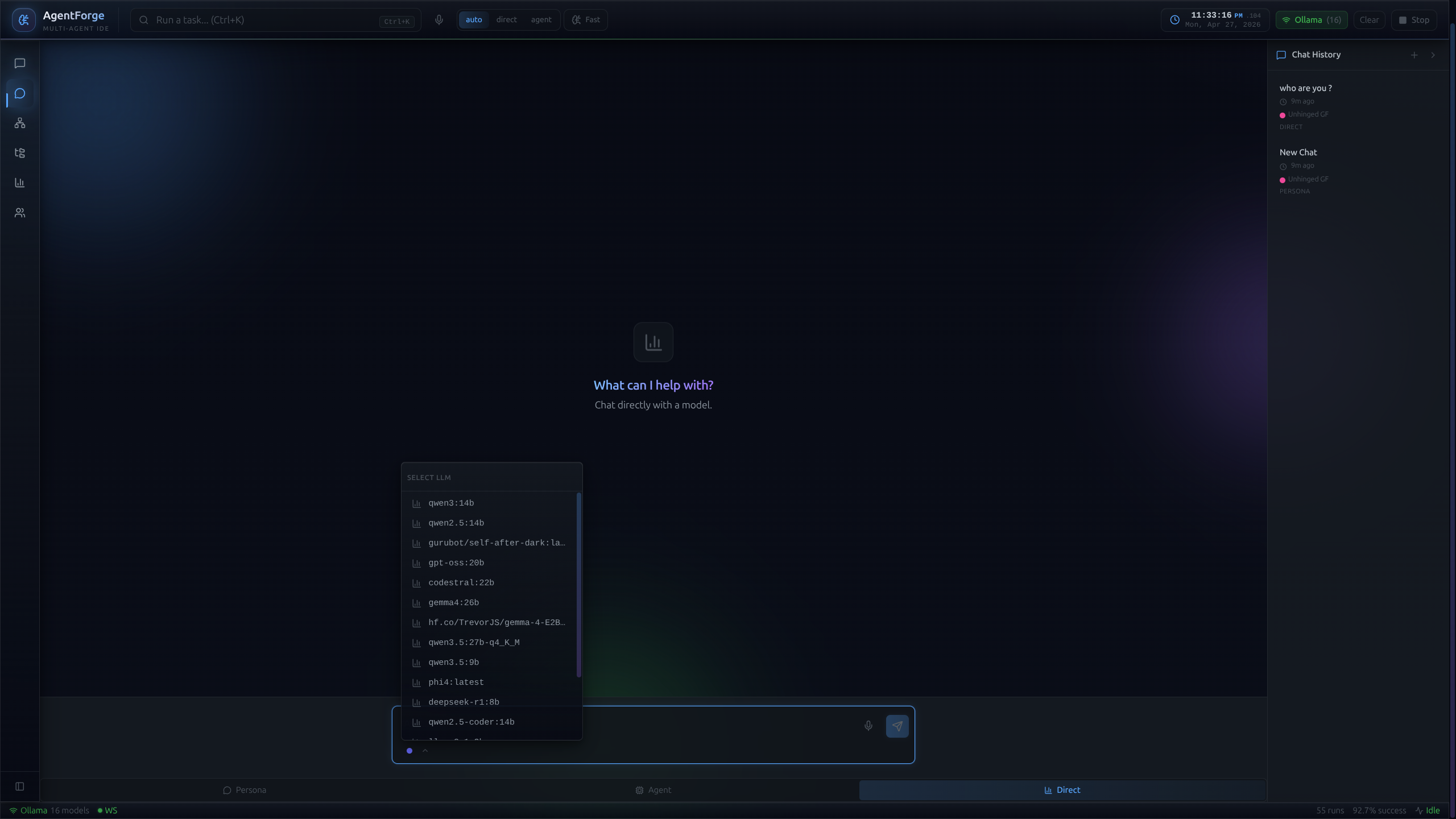
Bypass the pipeline, talk straight to the model.
Not everything needs orchestration. Direct-chat surface for quick queries and rapid prototyping. Also a critical debugging tool: isolate a specific agent outside the pipeline to test edge-case prompts before wiring it back into the main flow.
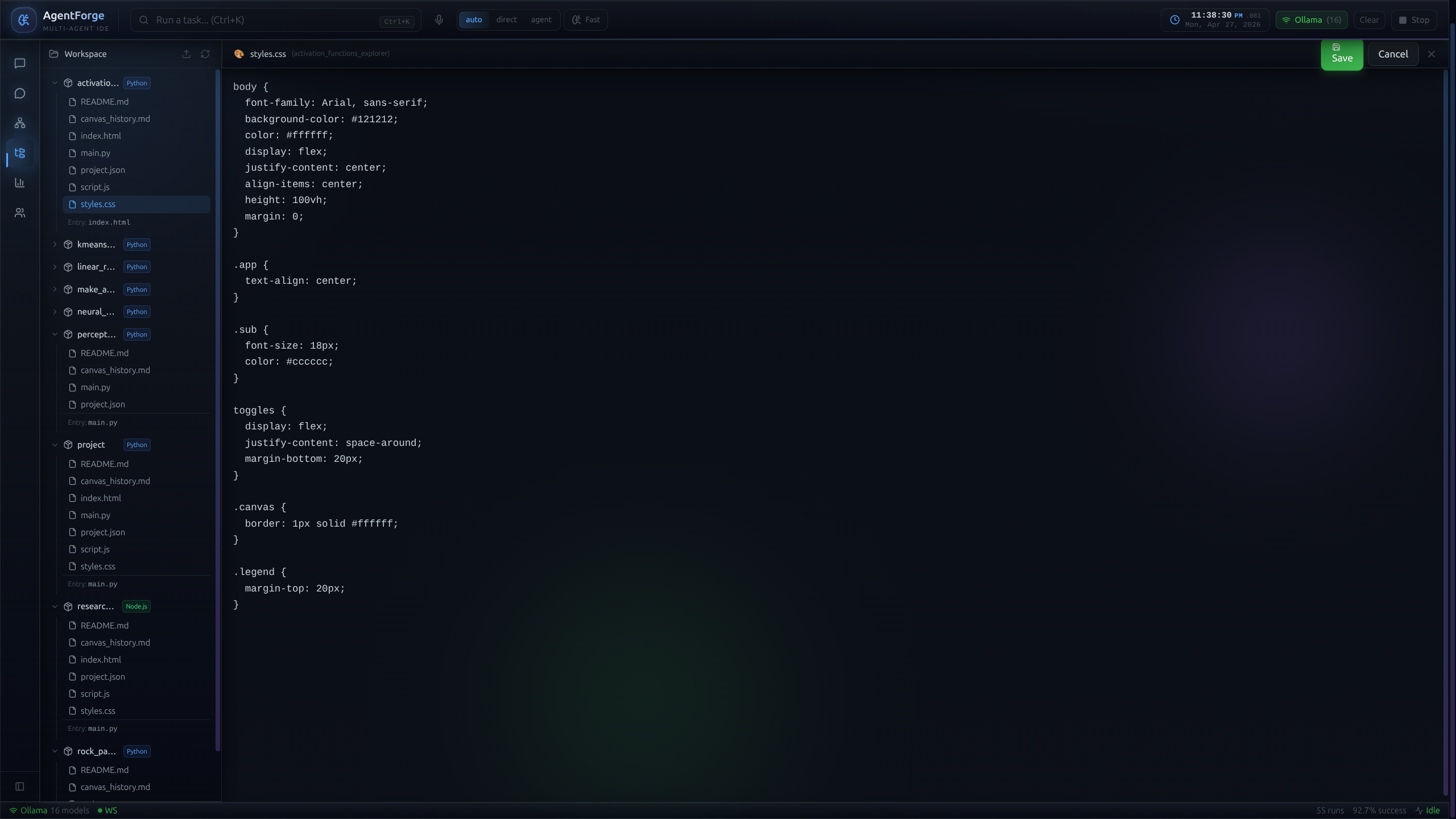
Output is a runnable project.
Not a wall of text. The pipeline culminates in a fully structured, multi-file project — file tree, Monaco-powered preview, dependency files, run instructions. Saved to the local filesystem, ready to execute. The chat transcript is the byproduct; the code is the artifact.
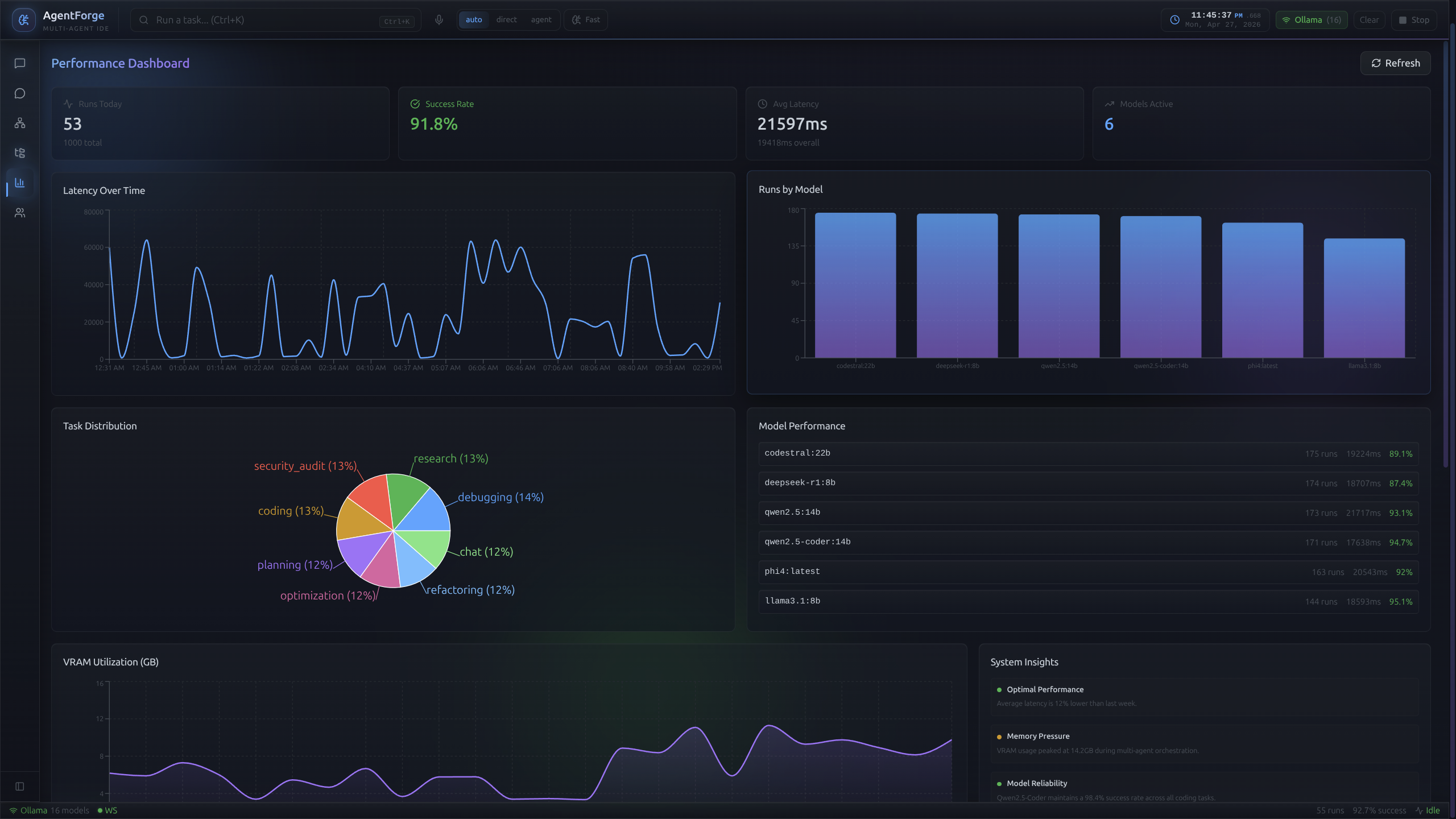
VRAM, made visible.
Orchestrating heavy LLMs in 16 GB was the hardest part of this project, so the constraint became a first-class feature. A Recharts-powered live timeline shows VRAM over time, per-agent latency, and model load/unload events. The custom scheduler isn't theoretical — you can watch it work.