Brave Helper.
A local-first AI side-panel for Brave / Chromium. No cloud, no API keys, no data leaving the device — every model runs on the user’s own GPU via Ollama.
Overview
Brave Helper is a side panel that sits next to any tab and helps the user read, research, recall, and autofill — all running on local models. It reads the current page, searches the web when local context isn’t enough, sees the screen via a local vision model, remembers saved pages with local RAG, and autofills forms from an AES-encrypted vault when the user chooses to unlock it.
The architecture is read-only outbound: the model can fetch search results and URLs, but the extension has no POST code path that sends user data anywhere. Privacy is a property of the codebase, not a marketing line — the single outbound chokepoint, safeFetch, is GET-only and refuses everything else.
The headline V4.0 feature is an auto-router: a small manager model classifies each user message and per-message swaps to the right specialist tier (Fast, Balanced, Smart, Code, Vision). Users don’t have to think about which model to use, and they can override with a single slash command.
The privacy story is a code invariant.
One outbound chokepoint, GET-only
Every external HTTP call routes through src/lib/http.ts::safeFetch. No POST / PUT / DELETE code path exists anywhere in the codebase. “No data exfil” is a compiler-enforced invariant, not discipline.
Mode state machine
Research and Autofill modes are mutually exclusive. Whenever credentials are reachable, the network is severed — and vice versa. A bug in one path mechanically cannot leak through the other.
V4.0 auto-router
A manager model (Fast tier, qwen3.5:9b) classifies each user message and routes to the right specialist — Balanced for Q&A, Smart for deep reasoning, Code for dev pages, Vision for screenshots. Manual override via slash command.
Privacy audit panel
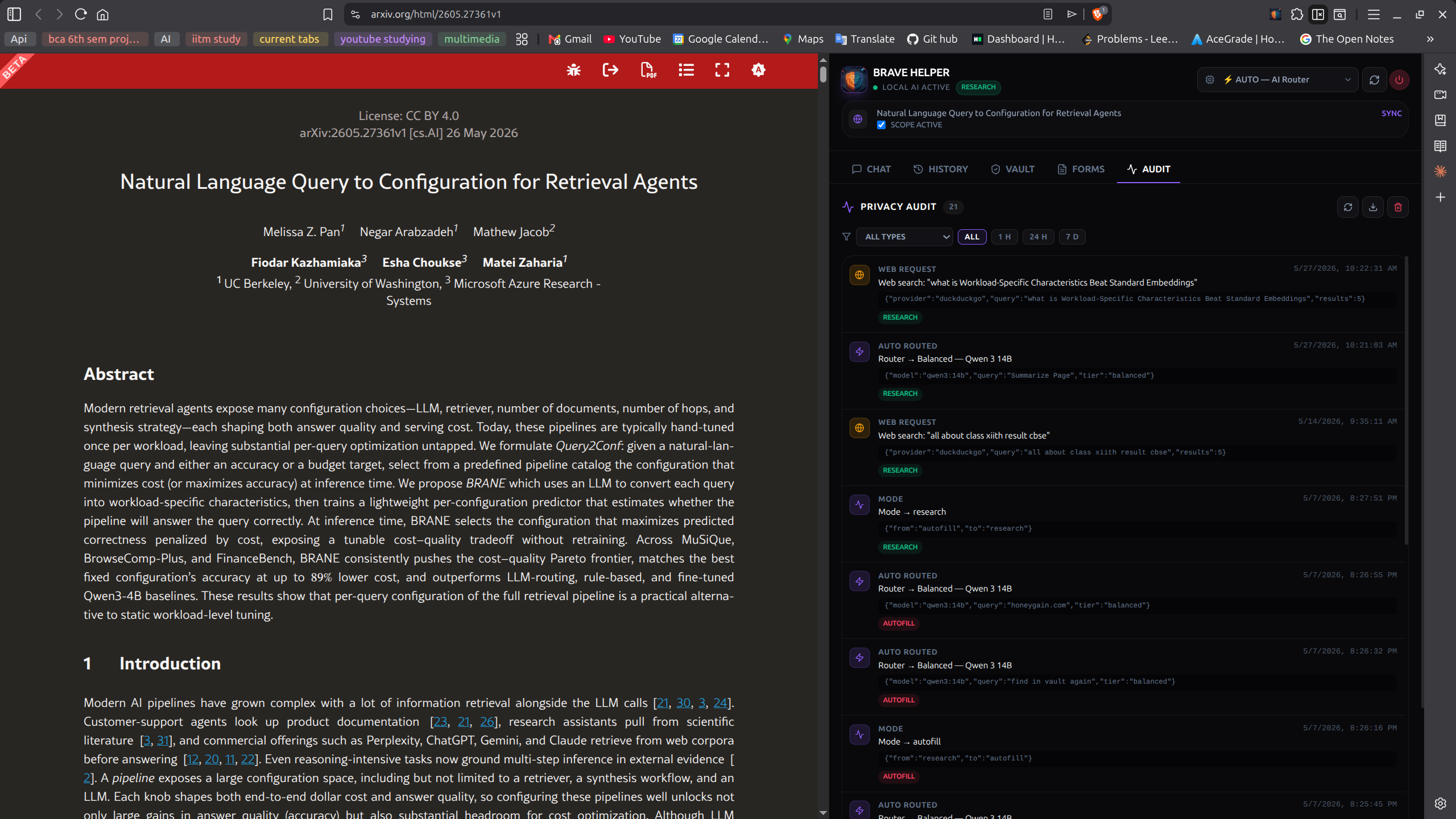
Every privacy-relevant action — mode change, web fetch, page read, vault unlock, autofill, model swap, route decision — is appended to a local audit log. Filters by type, JSON export. The architectural claims are verifiable, not asked-to-be-trusted.
14 screens, side-panel to vault.
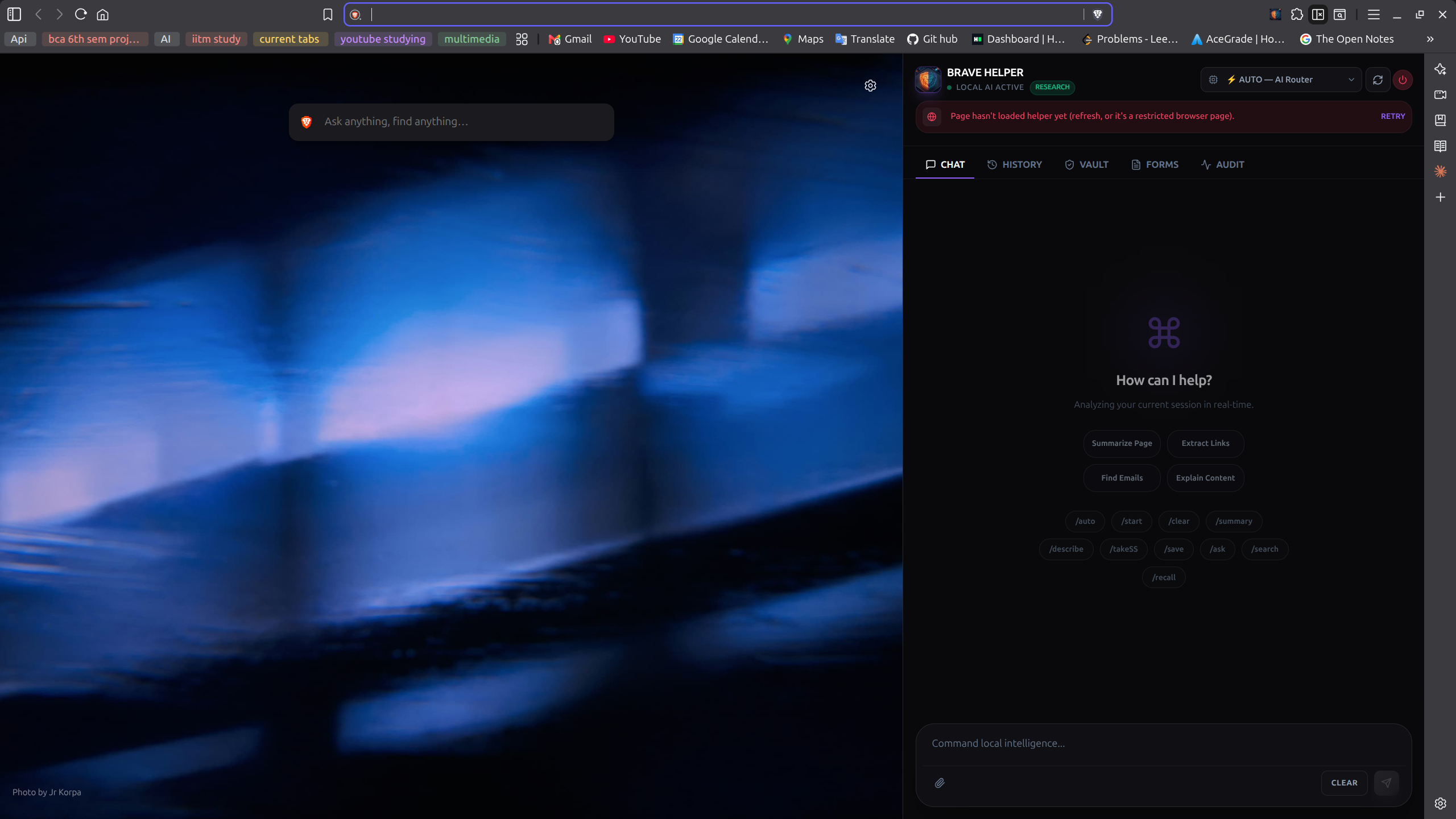
The resting state.
The side panel opens next to any tab. Header shows the green LOCAL AI ACTIVE status, the AUTO model selector (the router), and a sync banner for the current page. The empty chat offers suggestion chips for common starting actions.
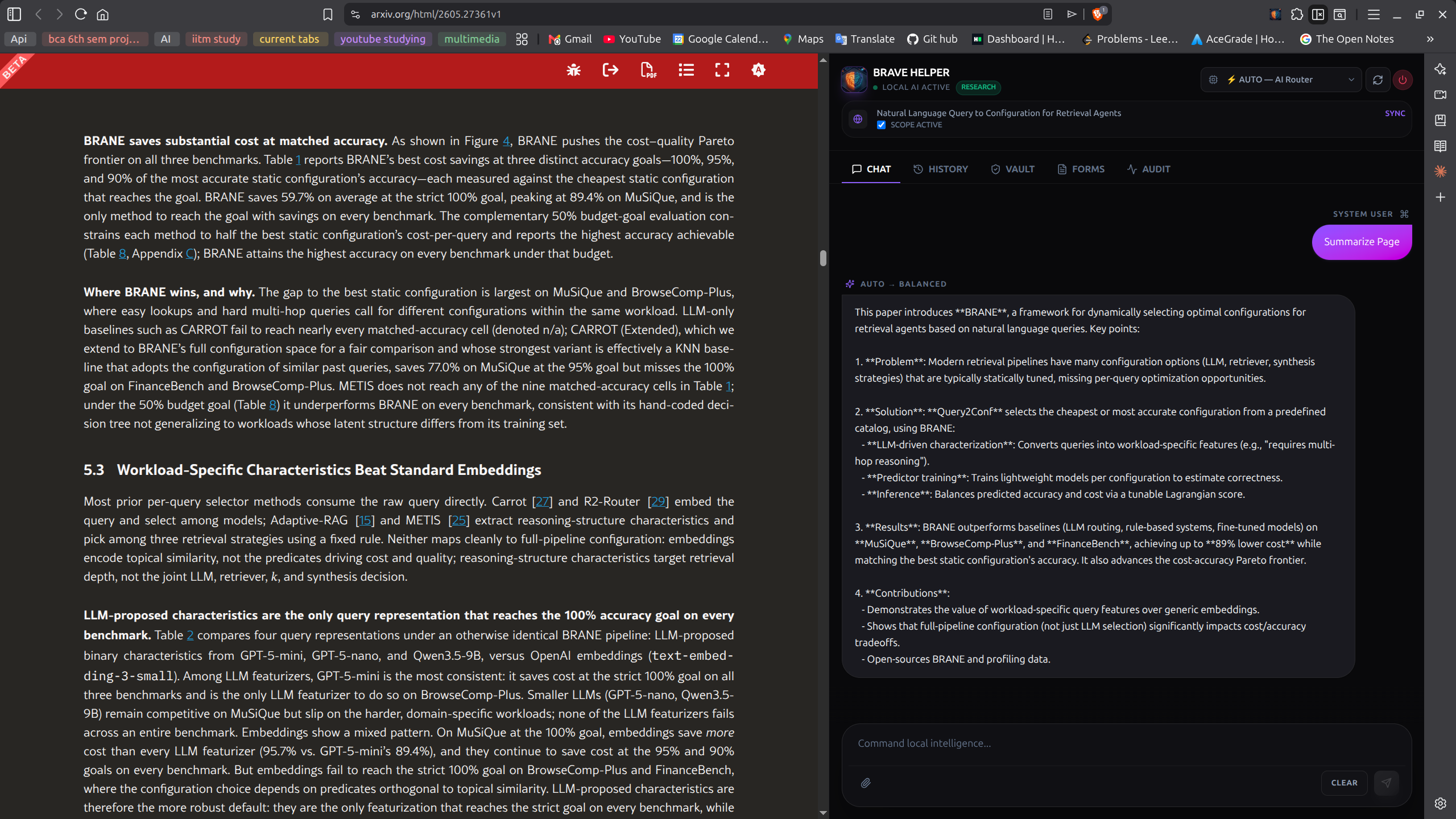
/summary)Concise by default.
Running /summary produces a bullet summary of whatever page is currently synced. Generated locally — no page content is transmitted anywhere. Default chat is concise; /describe <q> is the slash command for a longer, structured answer.
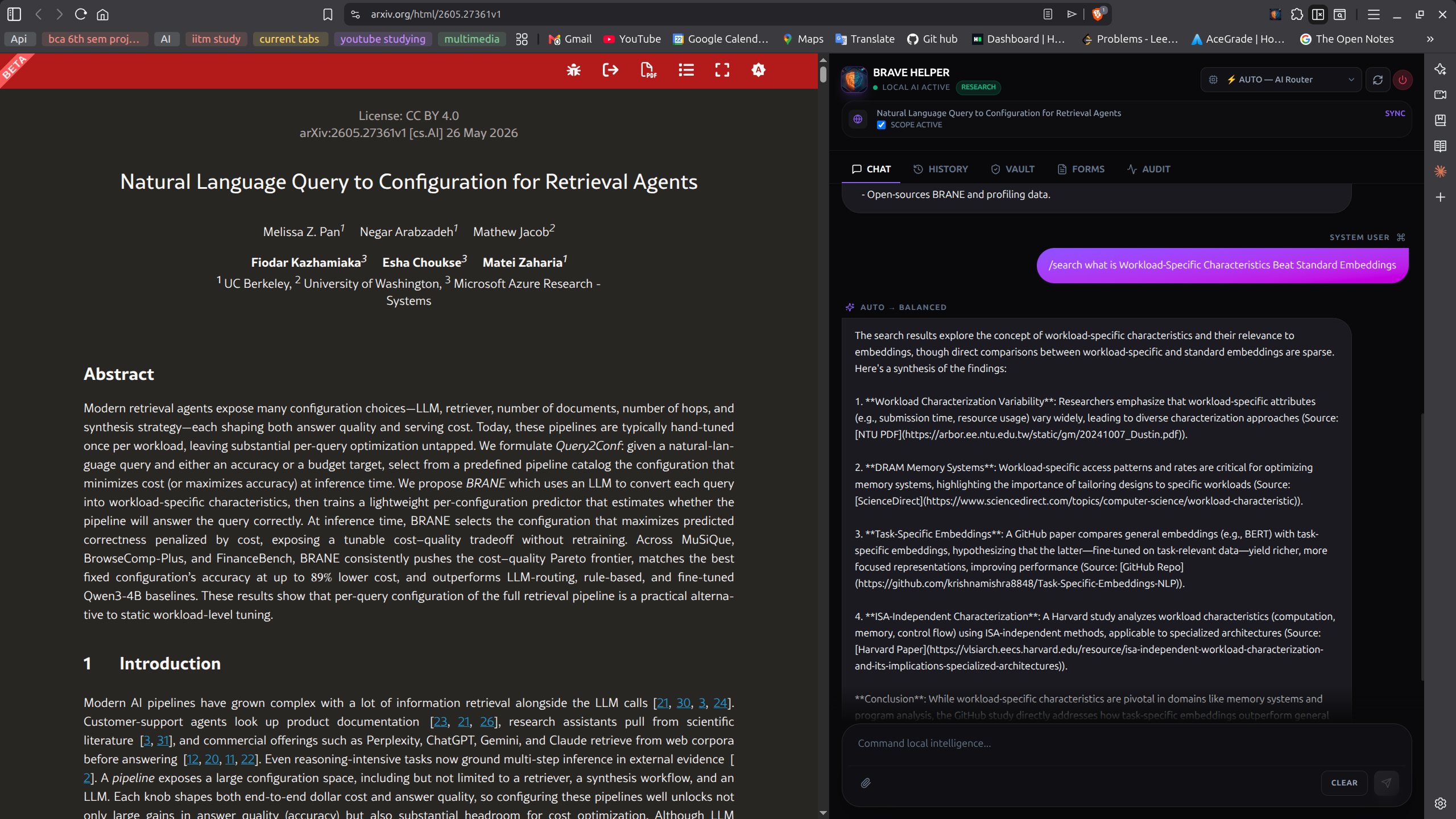
/search)Through one GET-only door.
/search <query> runs a DuckDuckGo lookup through the safeFetch chokepoint and feeds the results back to the model. Only works in Research mode — if the vault is unlocked, web access is cut and this command refuses.
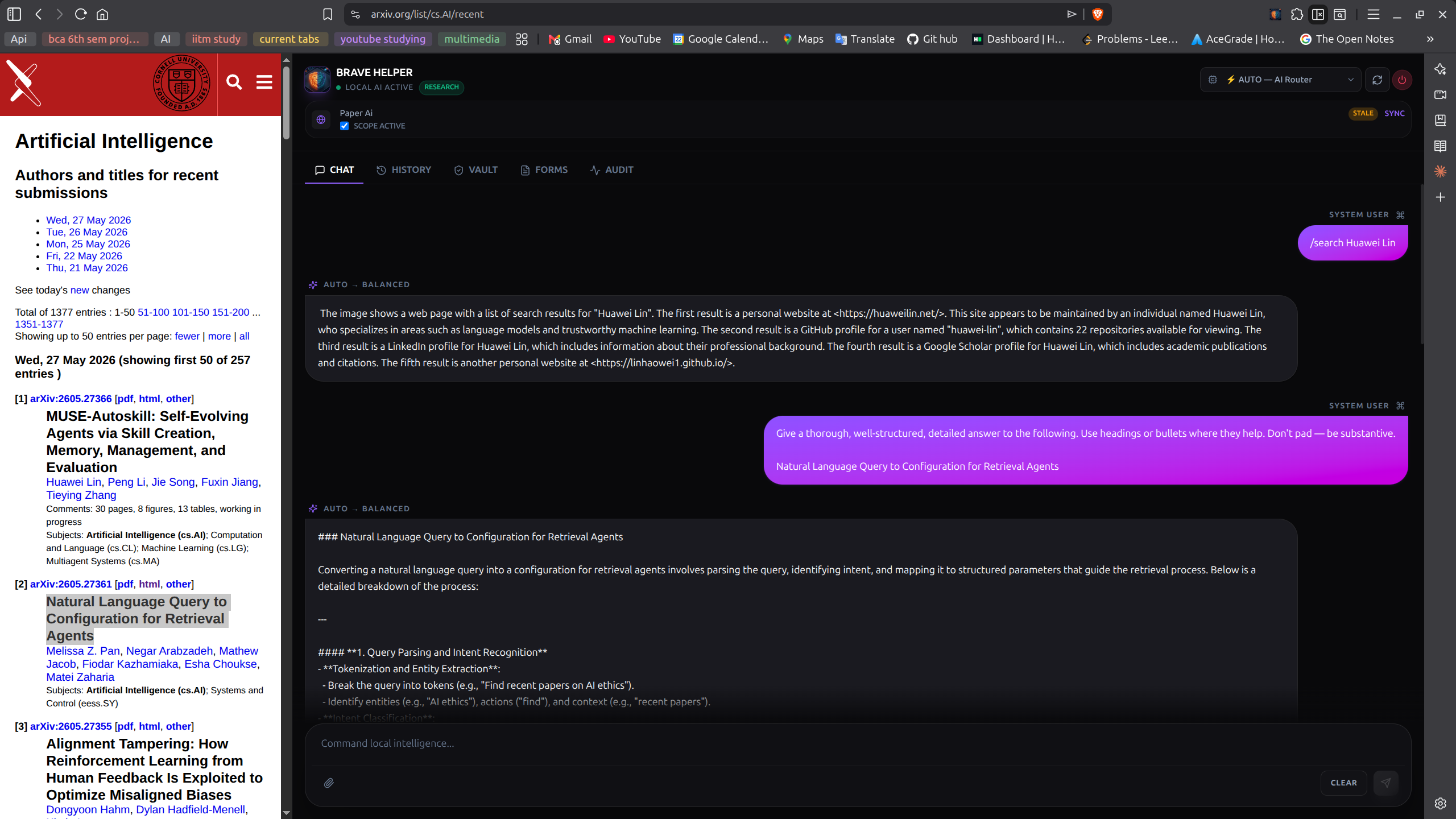
One model picks the next.
The headline V4.0 feature. A small manager model (Fast tier, qwen3.5:9b) classifies each user message and selects the best specialist for the job. The chat shows the route decision and the specialist’s response in one flow. Override with /fast, /balanced, /smart, /code, or /auto.
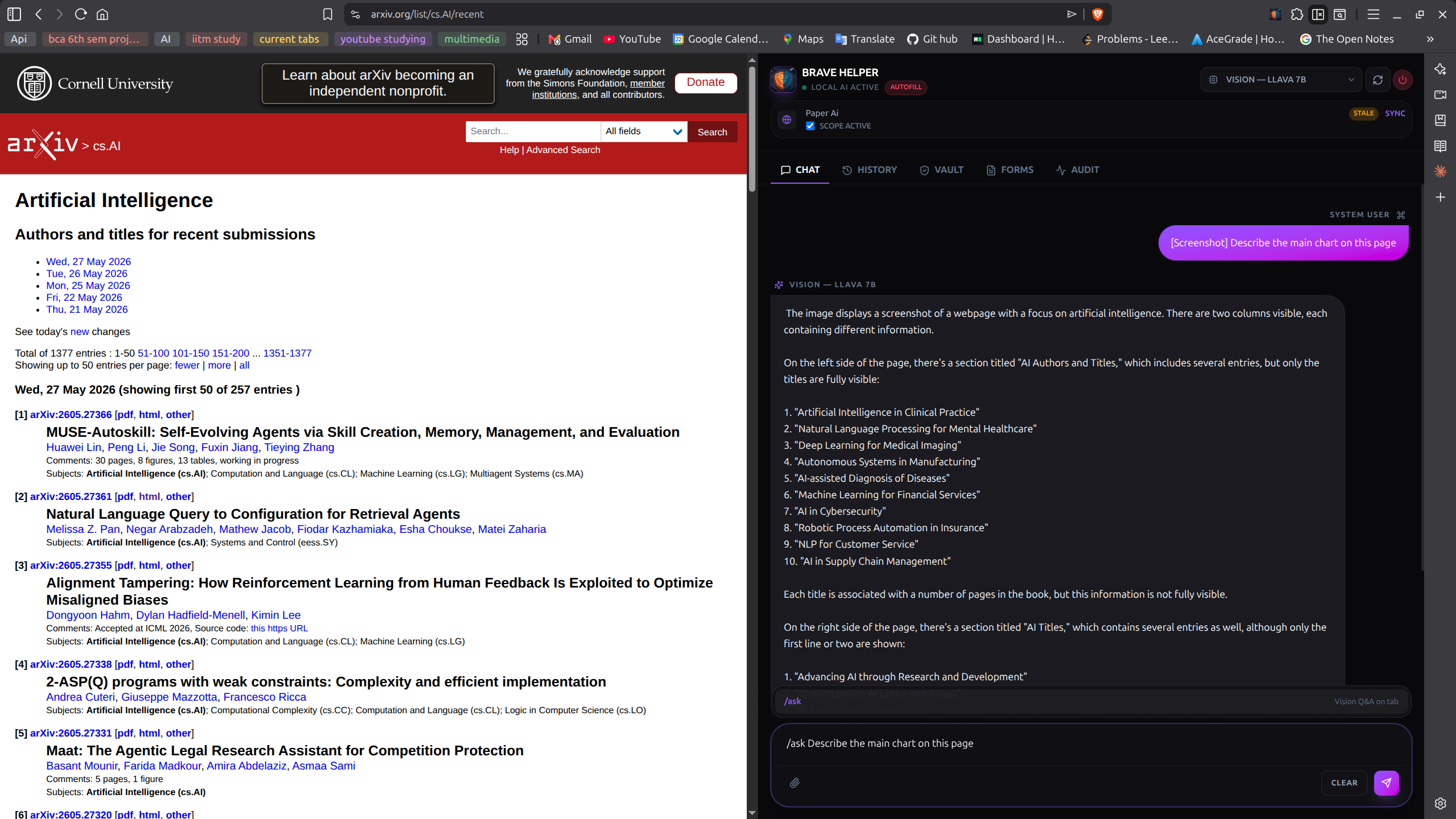
/ask)Reads pixels, not the DOM.
/ask <prompt> captures the visible tab and sends the screenshot to llava:7b running locally. The example shows the model describing an arxiv listing — it reads the column layout and titles directly from pixels. The screenshot never leaves the machine.
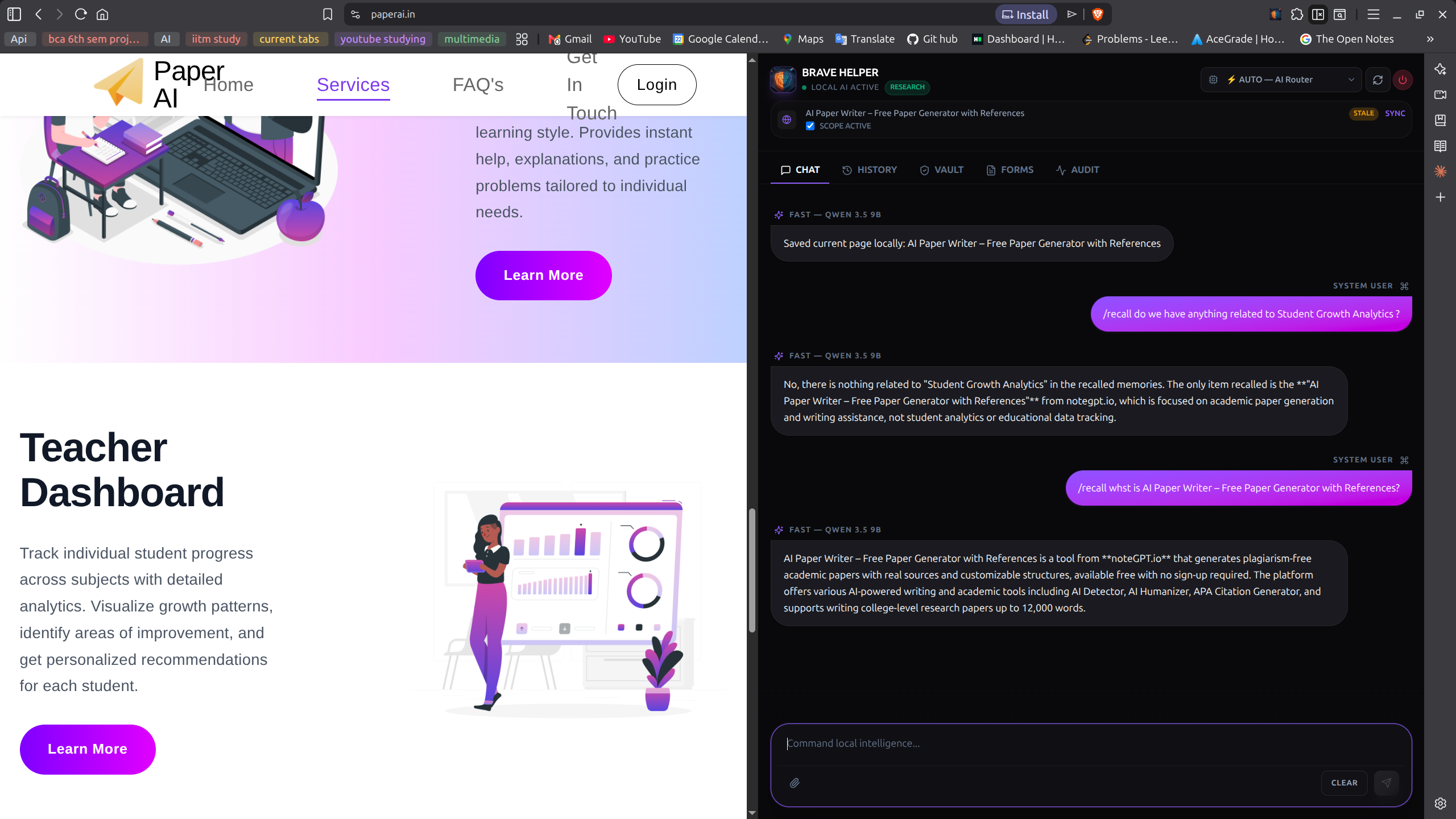
/save + /recall)A memory for what you read.
/save snapshots the current page and indexes it with nomic-embed-text embeddings into a local vector store backed by chrome.storage. /recall <query> does cosine search over everything previously saved — the model answers from the saved snapshot, not by re-fetching.
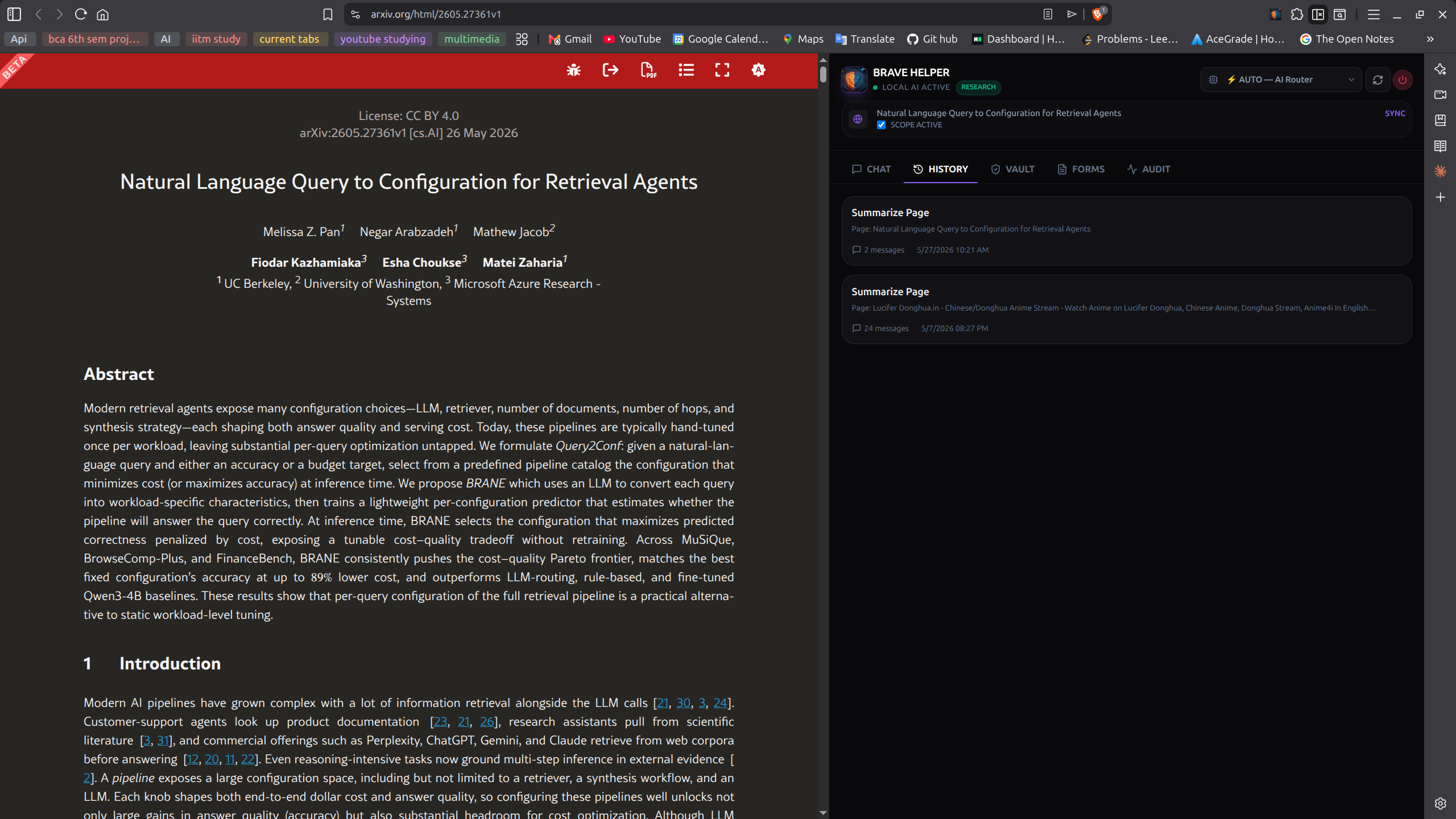
Sessions, never synced.
Past chat sessions, persisted locally. Re-open any session to continue it. Stored in chrome.storage.local — never transmitted, never reconciled with a remote server.
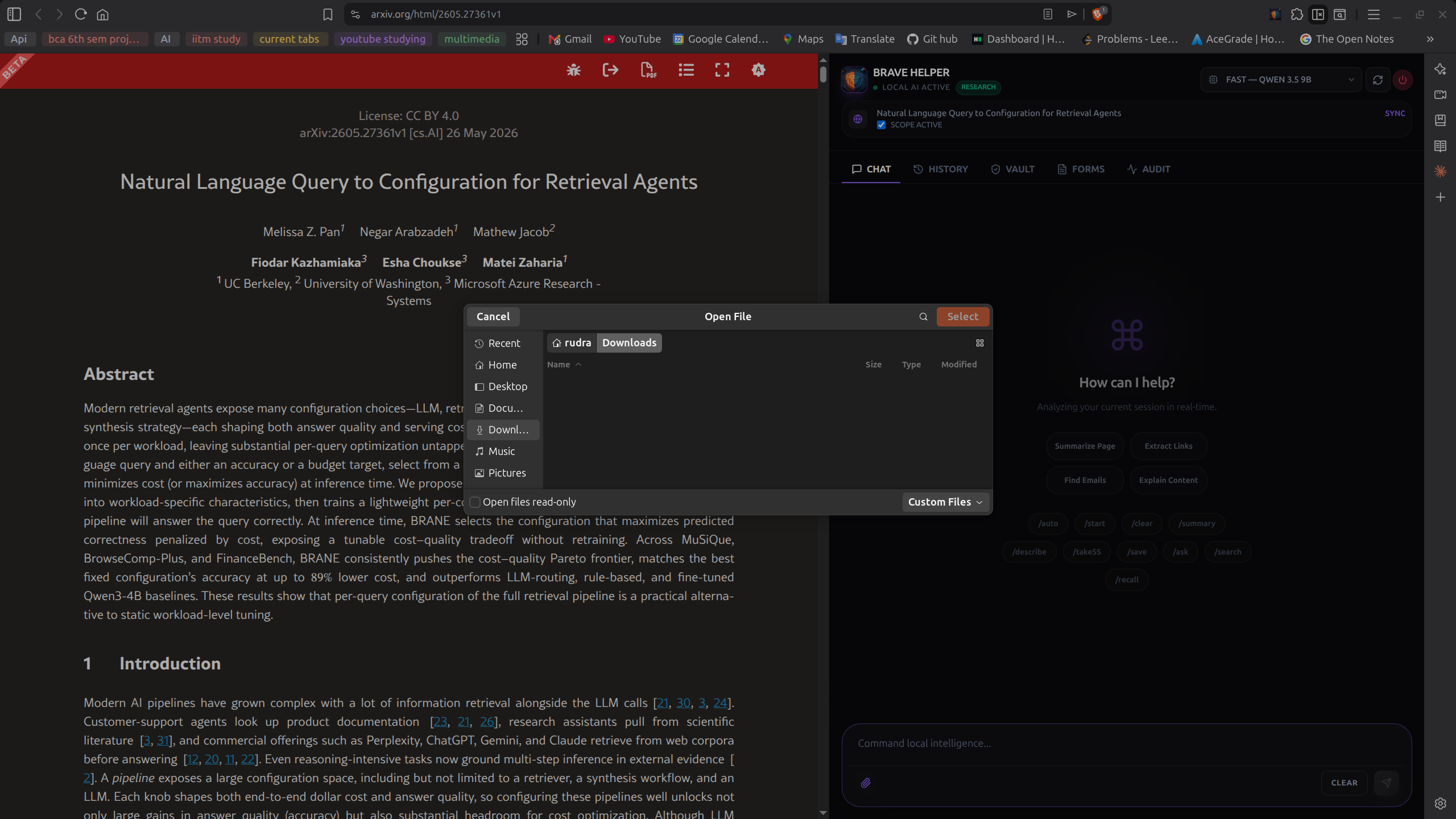
Local files, into context.
Drop in a local file (PDF, text, etc.) and ask questions against it. The file is read into the conversation context locally — no upload to a remote service, no third-party document parser.
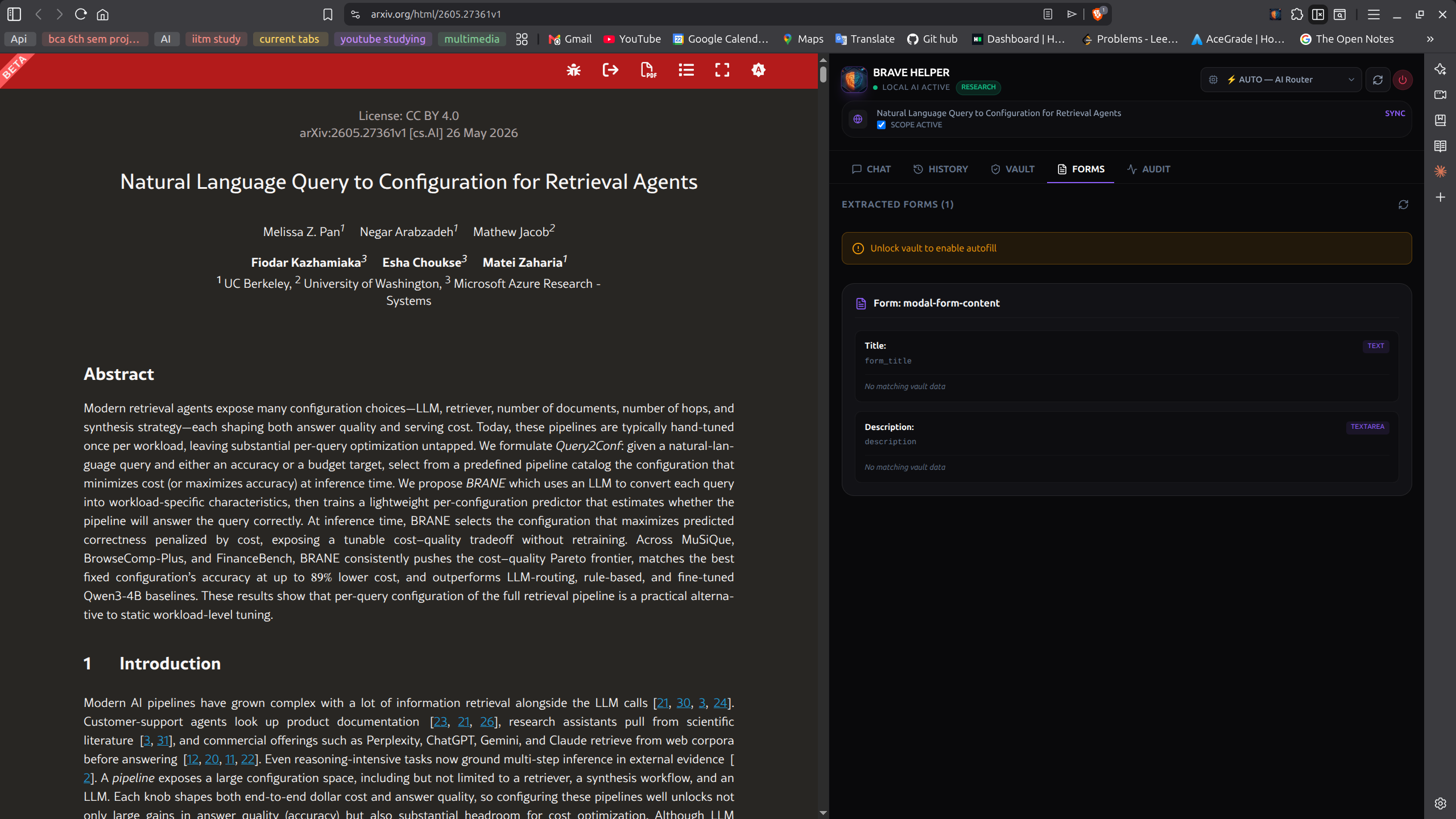
See the form, but don’t touch it.
The Forms tab shows what the content script extracted from the current page — visible and hidden fields with stable selectors. Note the “Unlock vault to enable autofill” banner: until the vault is unlocked, the helper can see the form but cannot write to it.
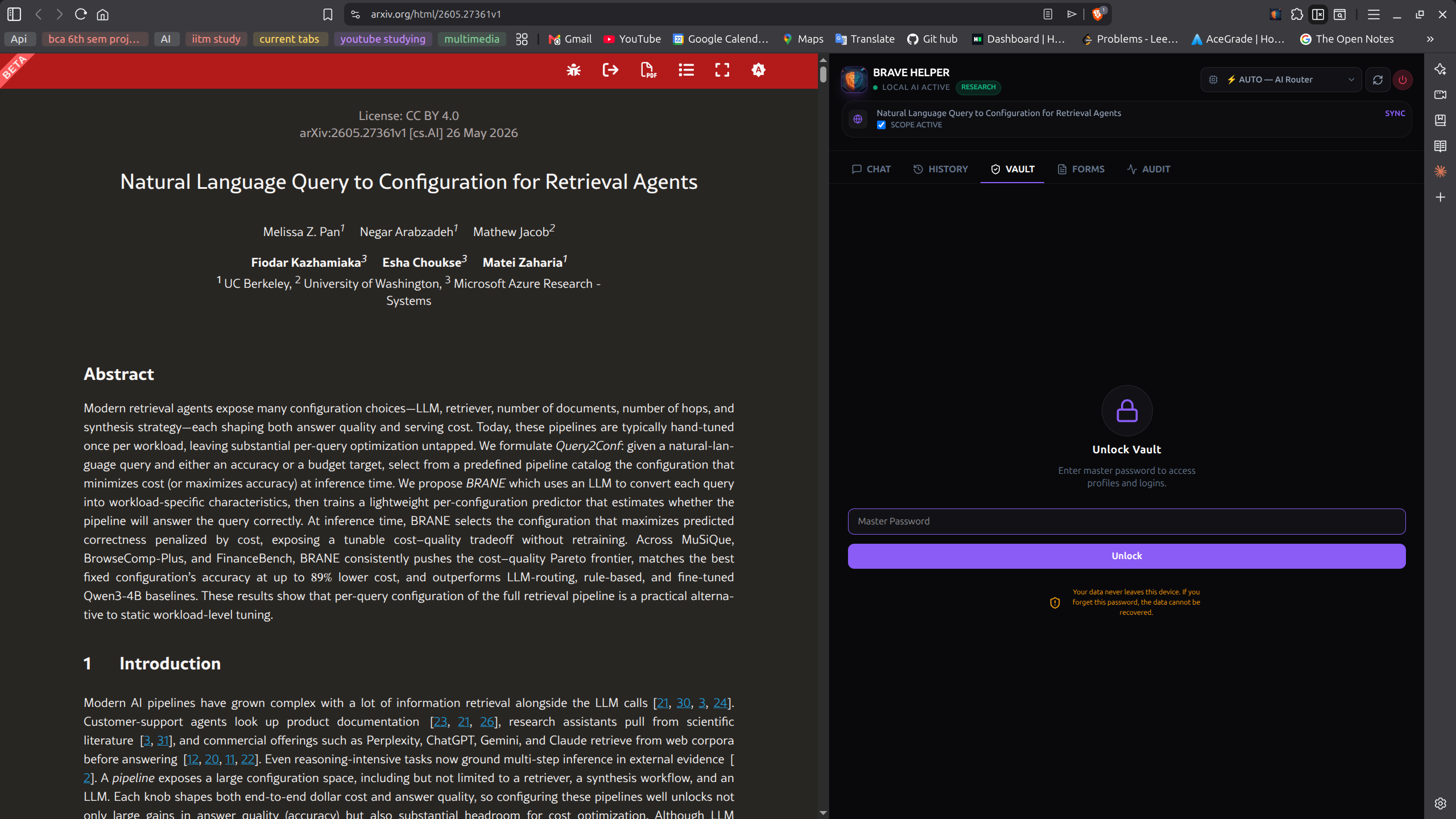
Where credentials live, network does not.
The red AUTOFILL banner is the project’s mode-switch indicator: whenever you’re near the credentials path, the network path is severed. The master password prompt uses Web Crypto’s PBKDF2 to derive the AES-GCM key — the key is never stored on disk.
PBKDF2 in, no recovery out.
First-time setup. The user picks a master password; PBKDF2 hashes it into the symmetric key used to encrypt everything subsequently stored in the vault. There is no password recovery — forgetting it loses the vault, which is the correct tradeoff for a local-first design.
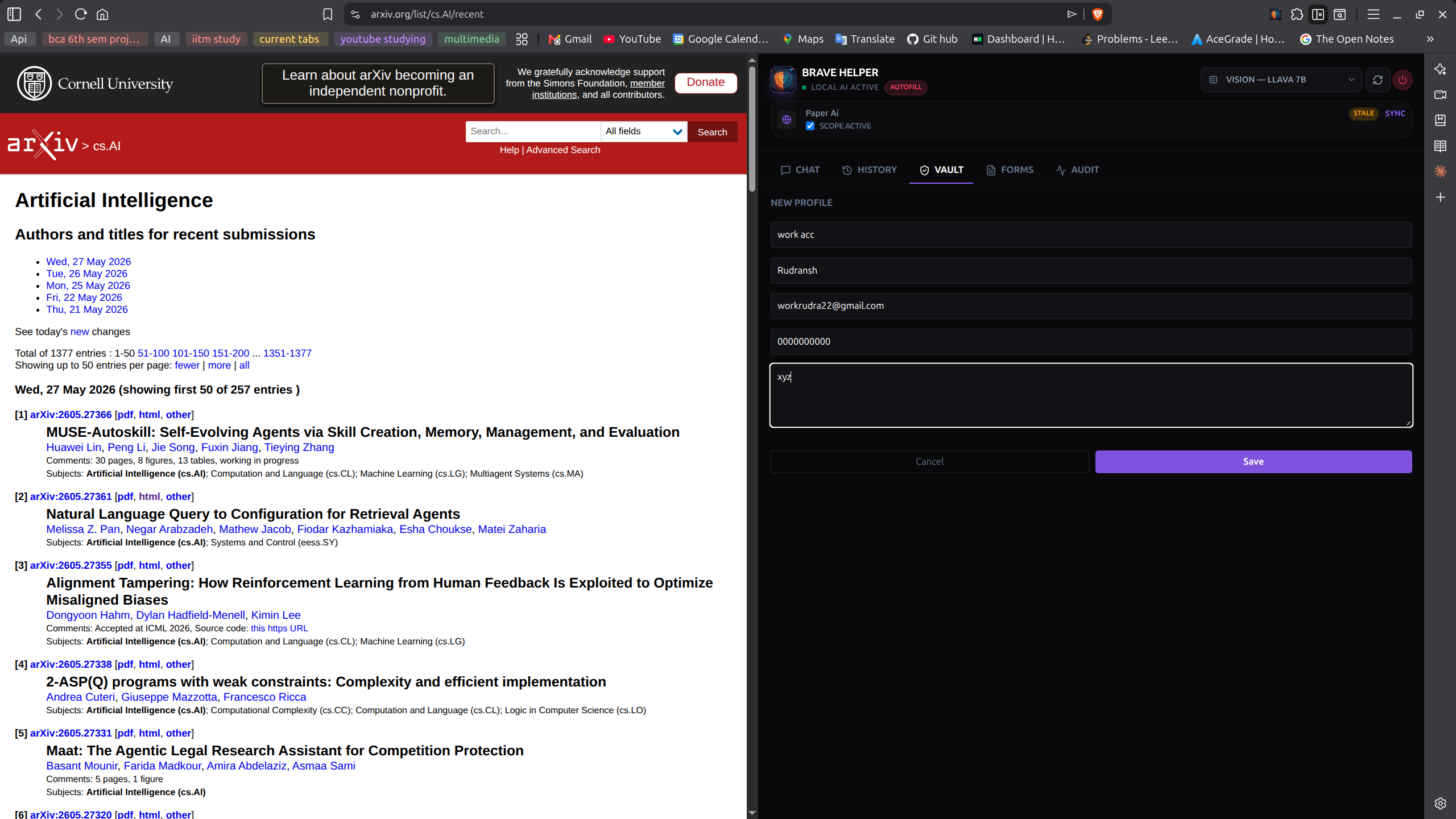
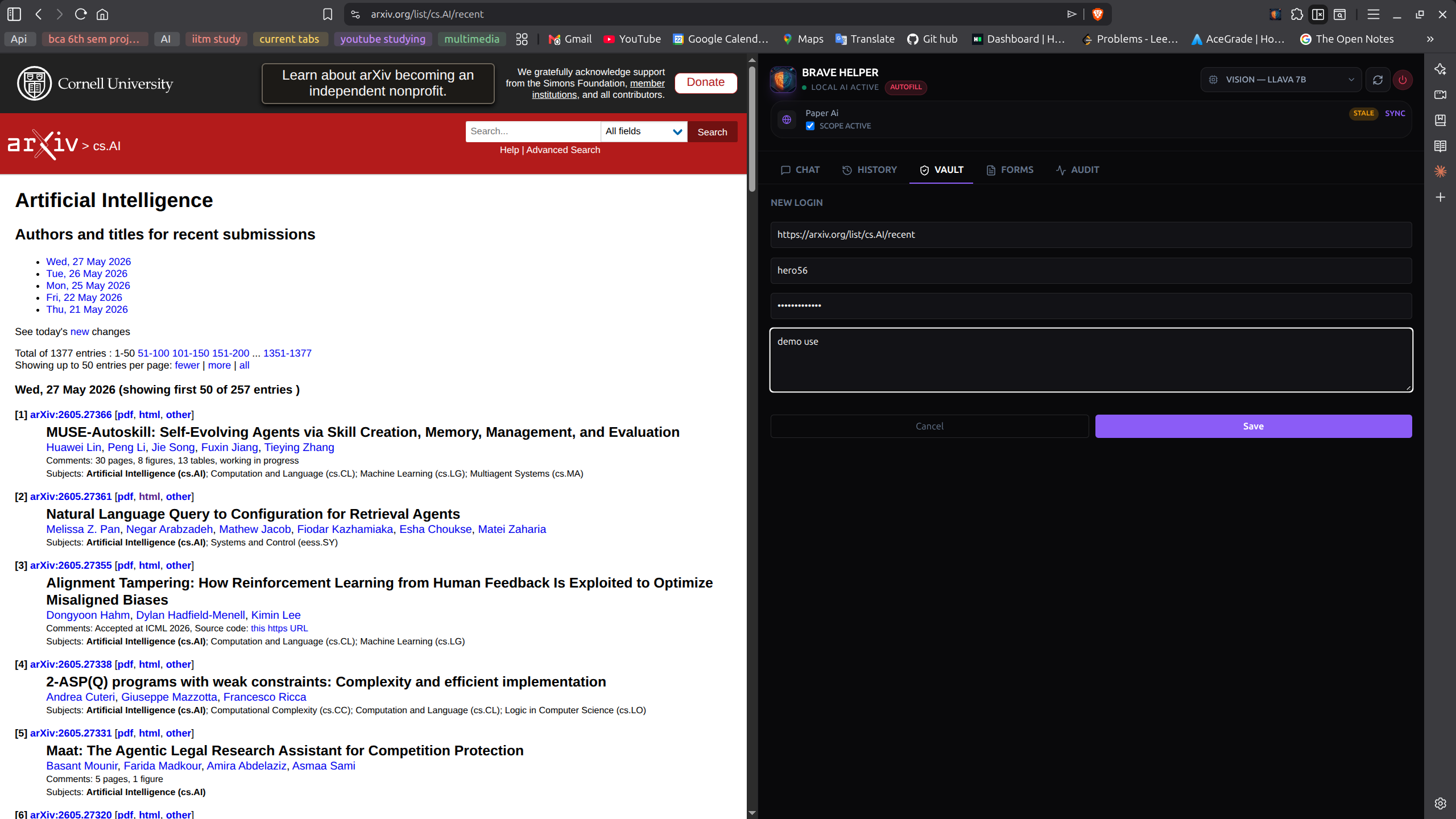
Logins grouped by context.
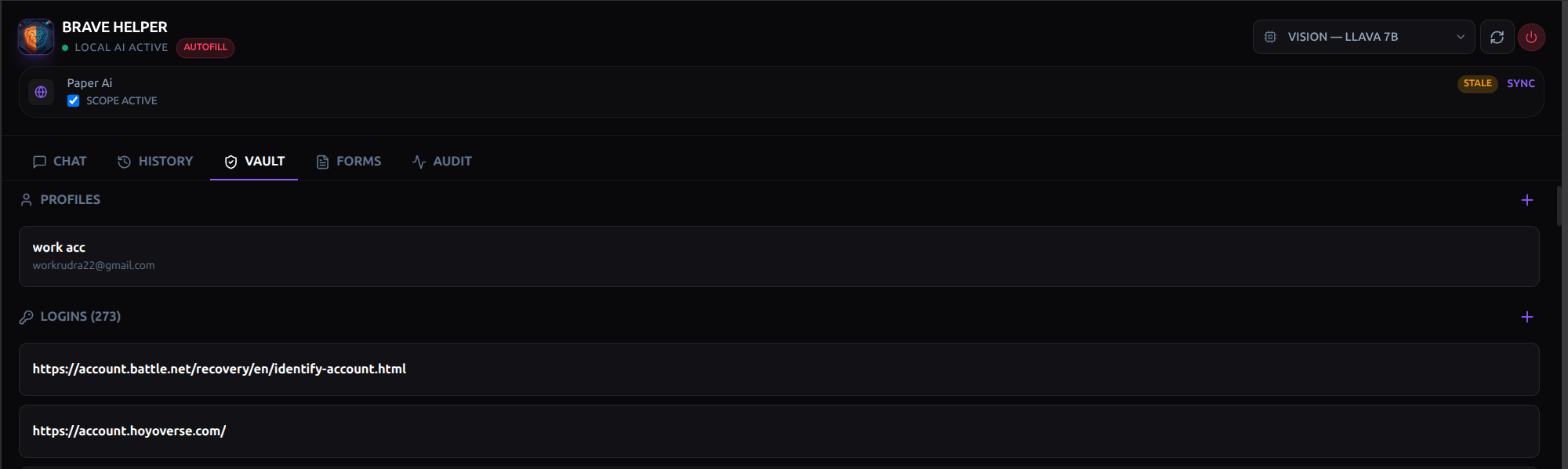
Profiles group logins and personal fields under a label (e.g., “work acc”, “personal”). The model picks the right profile when autofilling based on context, so the same form on the same site can be filled with the right credentials depending on intent.
Source-traced autofill.
Active profile (work acc → workrudra22@gmail.com) and the count of stored logins. The red AUTOFILL banner stays visible — the mode boundary holds even when the vault is open. Every value the model is about to write is shown alongside where it came from in the vault, so the user can review the mapping before any field is written.
Trust, verifiable.
Every privacy-relevant action — mode change, web fetch, page read, vault unlock, autofill, model swap, route decision — is appended to a local audit log. The Audit tab shows the event stream with filters and JSON export. The audit log is the user-visible proof that the architectural commitments above are actually being followed.